talat for iPhone and Apple Watch is now available
talat for iPhone and Apple Watch is now available on the App Store. Record a meeting on your phone or your wrist, and the recording is end-to-end encrypted before it leaves your phone. talat on your Mac or Windows PC then transcribes the recording, recognises people from earlier meetings and writes up your notes. The app is free.
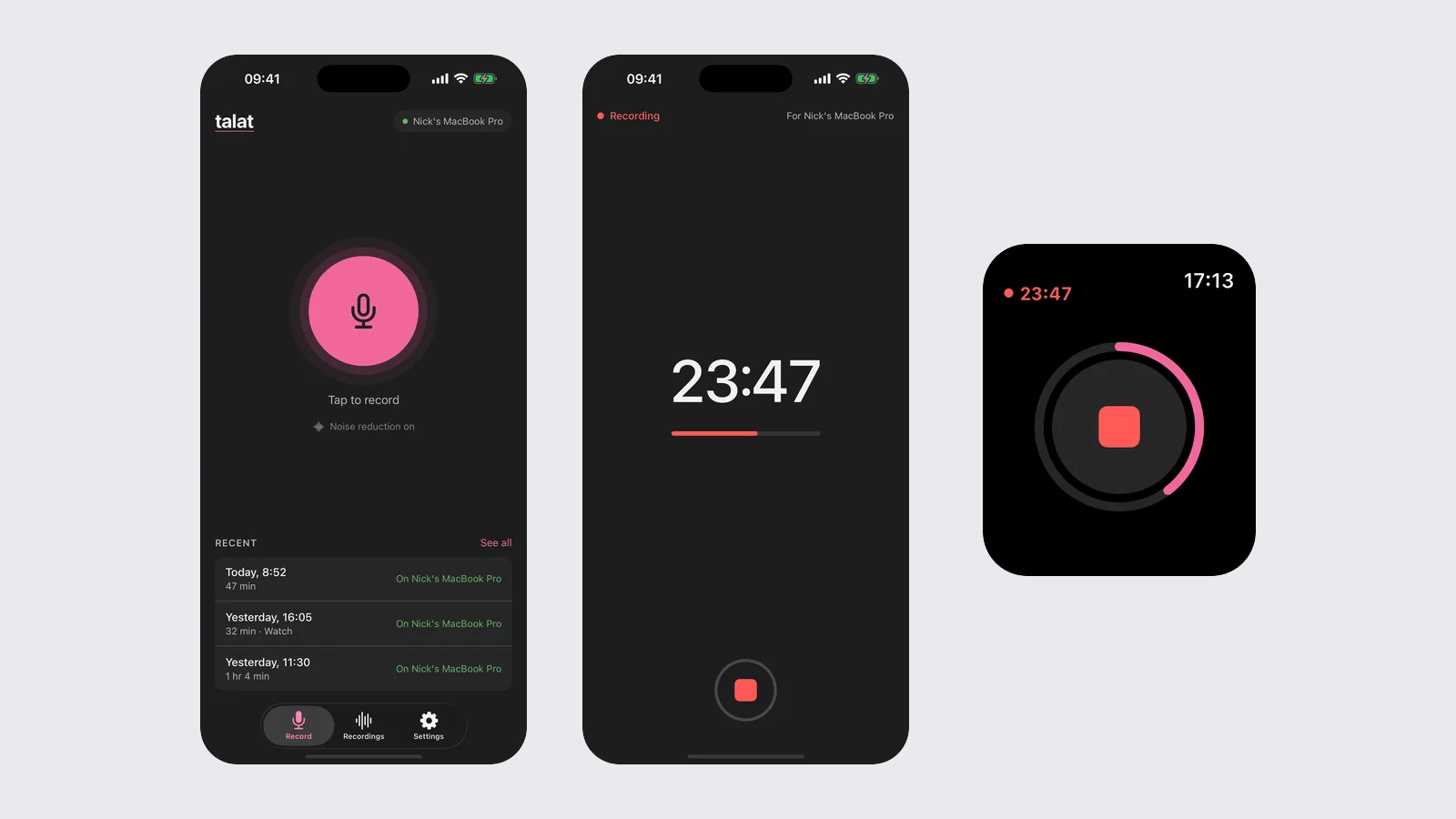
What it does
The app records audio on your iPhone or Apple Watch, keeps the recording on your phone, and syncs it securely to talat on your computer when it can. Transcription and notes happen on your computer.
Privacy
Recordings are end-to-end encrypted on your phone before they leave it, and your phone deletes its copy once your computer has the recording. The app has no analytics or tracking, and there's no account to sign up for.
Pairing
In talat on your computer, open Settings → Sync, choose Enable sync, then Add a phone. Scan the QR code with your phone and check the number matches on both screens. You can record before you've paired; recordings wait on your phone and are sent once you pair. The sync docs have the full steps.
Requirements
- talat 1.13 or later, on a Mac with Apple Silicon (macOS 15 or later) or on Windows 10 or 11
- A talat licence. Sync isn't available during the trial or in talat from Setapp.
There's more on the iPhone and Apple Watch page, or you can get the app on the App Store.