How to transcribe a YouTube video locally with Claude and talat
YouTube will show you auto-captions on most videos, and for a quick gist they're fine. But they're a single undifferentiated stream of text with no punctuation to speak of, they don't know who is talking, and you can't ask them for a summary or save them anywhere useful. If you want a real transcript of a talk, an interview, a podcast episode, or a lecture, something you can read properly, search, and pull the key points out of, the captions don't get you there.
talat can transcribe a YouTube video into a proper meeting, with the audio separated by speaker, a summary, chapters, and the lot, and it does the transcription on your own machine rather than uploading anything to a transcription service. The neat part is that you don't have to download anything by hand or click through an import dialog. You can ask Claude to do the whole thing for you, because talat exposes its import feature over the Model Context Protocol.
How the pieces fit together
talat ships a small local server that Claude can talk to. Once it's connected, Claude can hand talat a file to transcribe and read the finished transcript back, all without anything leaving your machine. The file import guide covers that import path on its own; this is the same thing with one extra step in front of it.
That extra step is fetching the video's audio. talat transcribes files that are already on your disk; it doesn't reach out to the internet to pull a URL. So the job splits cleanly in two. Claude grabs the audio from YouTube and saves it as a file, using a tool like yt-dlp that it can run for you. Then Claude hands that file to talat, and talat transcribes it locally. Claude does the fetching; talat does the private part.
You drive this from Claude with talat connected, and Claude Code is the most reliable place to do it, since it will happily run a command like yt-dlp to fetch the audio. talat's settings page has a Settings → MCP → Claude Code panel with a one-line claude mcp add command to paste into your terminal once; after that, Claude Code can see talat. talat connects to Claude Desktop from the same settings section too, if that's where you prefer to work.
Asking for it
With talat connected, you don't run any of this yourself. You describe what you want in plain language, something like:
Download the audio from this YouTube video and transcribe it in talat, then give me a summary: https://www.youtube.com/watch?v=...
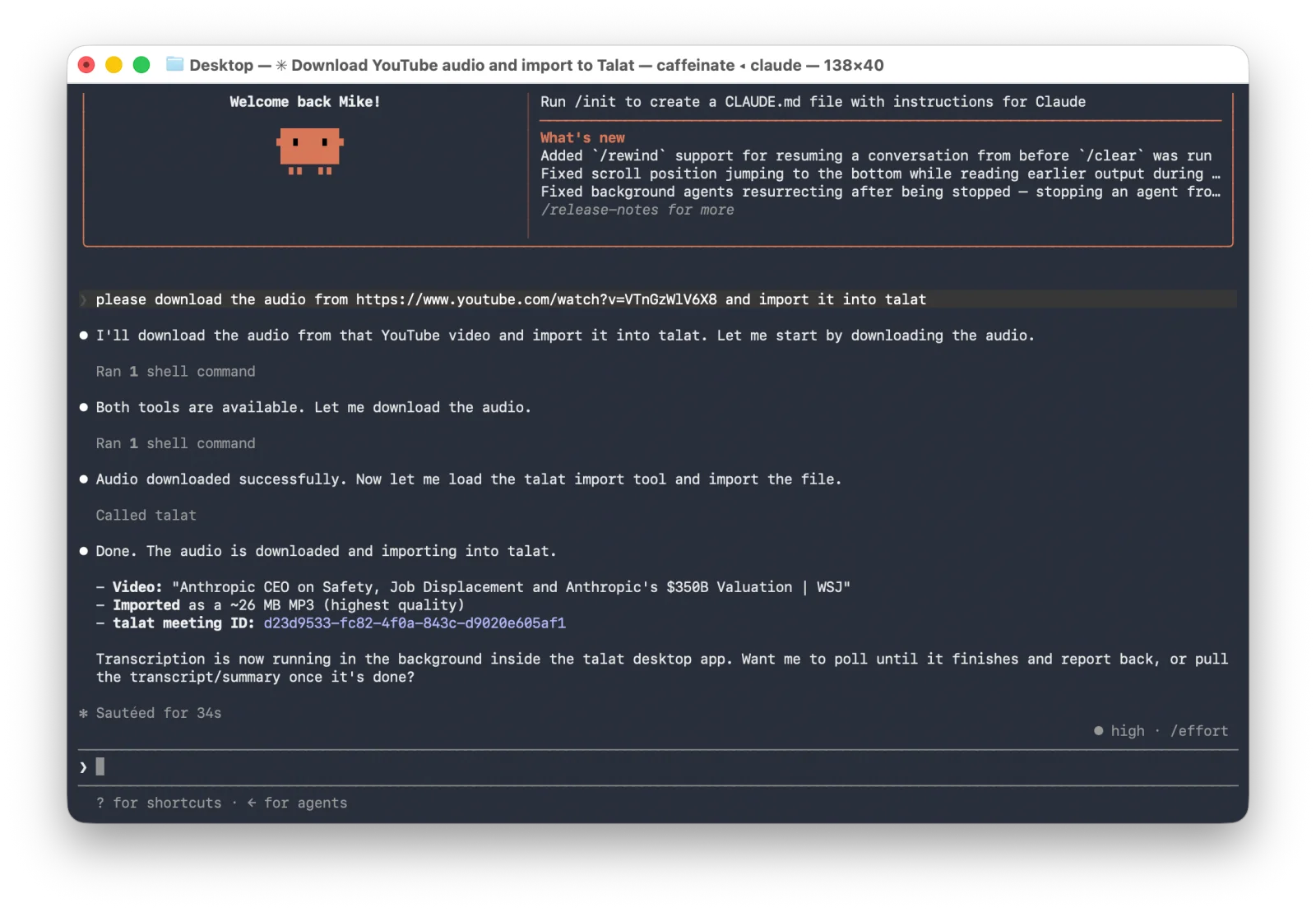
Claude takes it from there. It pulls the audio down to a file, calls talat's import tool with the path, and talat starts transcribing. A long video takes a little while, comfortably faster than watching it through, and Claude will wait for talat to finish and then read you the transcript or the summary you asked for. From your side it's one request and an answer.
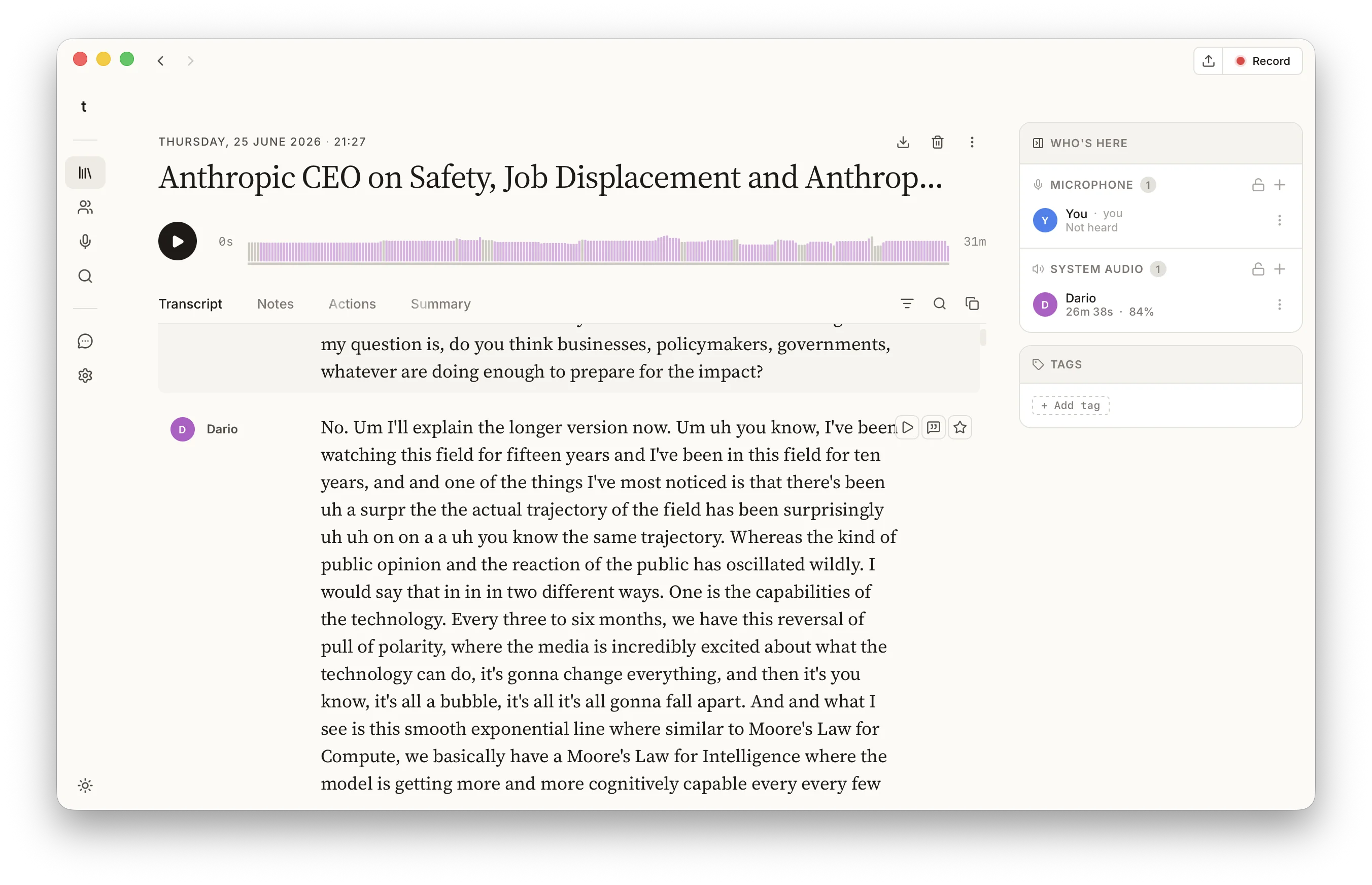
Because talat is doing real transcription rather than reading YouTube's captions, the result is a genuine talat meeting and not a wall of text. The voices are separated, the speech is properly punctuated, and the post-transcription pass writes a summary, splits the video into chapters, and pulls out anything that sounds like an action. It lands in your talat library next to your recorded meetings, searchable in the same way.
Where the data actually goes
This is worth being precise about, because "via Claude" sounds like it should involve a cloud somewhere. The video's audio comes from YouTube to your disk, which is the same thing your browser does when you watch it. The transcription then happens entirely on your machine, with talat's on-device models; the audio is never sent to a transcription service, and there's no per-minute meter running. The one part that does travel is whatever you ask Claude to read back: if you ask for the summary, that text goes through Claude to answer you, the same as any other thing you'd ask it. The transcript stays in talat unless you ask for it.
So the honest picture is local where it counts. The heavy, sensitive work, turning hours of audio into text, is done on your computer. Claude is the bit that fetches and fronts it, not the bit that does the transcribing.
A quick word on what's yours to grab
Downloading from YouTube sits in a grey area, and the right answer depends on the video and where you are. Your own uploads, content you've been given permission to use, and material that's licensed for it are all fair game. Someone else's video, used in a way they haven't allowed, is not. talat doesn't change any of that; it just transcribes a file once you have one. Use it for the videos you're entitled to use.
The short version
YouTube's captions are a rough gist; a talat transcript is a proper record. If you've connected talat to Claude, you can get from one to the other in a single request: Claude downloads the video's audio and hands it to talat, talat transcribes it on your own machine, and you get back a speaker-separated transcript with a summary, saved in your library. The fetching goes through Claude; the transcription never leaves your computer.
You can try talat free for ten hours, with no account.