How to get better meeting summaries with your own API key
When a meeting ends, talat reads the whole transcript and writes you a meeting summary on your own machine, with a model that ships inside the app. For most calls that is all you need, and nothing leaves your computer to make it happen. But on a long or dense meeting you might want a sharper summary than a small local model can give you, and talat lets you get one by pointing summarisation at a larger cloud model instead. The catch is that doing so means meeting one phrase that stops a lot of people in their tracks: API key. This guide explains what that is, how to get one, and how to connect it, in plain terms.
If you only want the private, on-device option and never want a transcript to leave your machine, you can stop reading here: that's the default, and the piece on the best local model for summaries is the one for you. The rest of this is for when you'd like to try something more capable and are happy to make that trade knowingly.
What an API key actually is
Think of an API key as a password that one program uses to talk to another company's service on your behalf. When you sign in to a website, you type a username and a password yourself. When a piece of software needs to use a service without a human sitting there to log in each time, it sends a key instead: a long string of letters and numbers that proves the request is coming from your account, and that your account should be billed for it.
So when you connect a cloud model to talat, you're not logging talat into your OpenAI or Anthropic account in the usual sense. You're giving it a key that lets it send your meeting transcript to that company's model, get a summary back, and have the usage charged to you. The key is the whole credential: anyone who has it can spend against your account, which is why it's worth treating like a password and why both talat and the providers take care with where it's stored.
Why you'd connect one
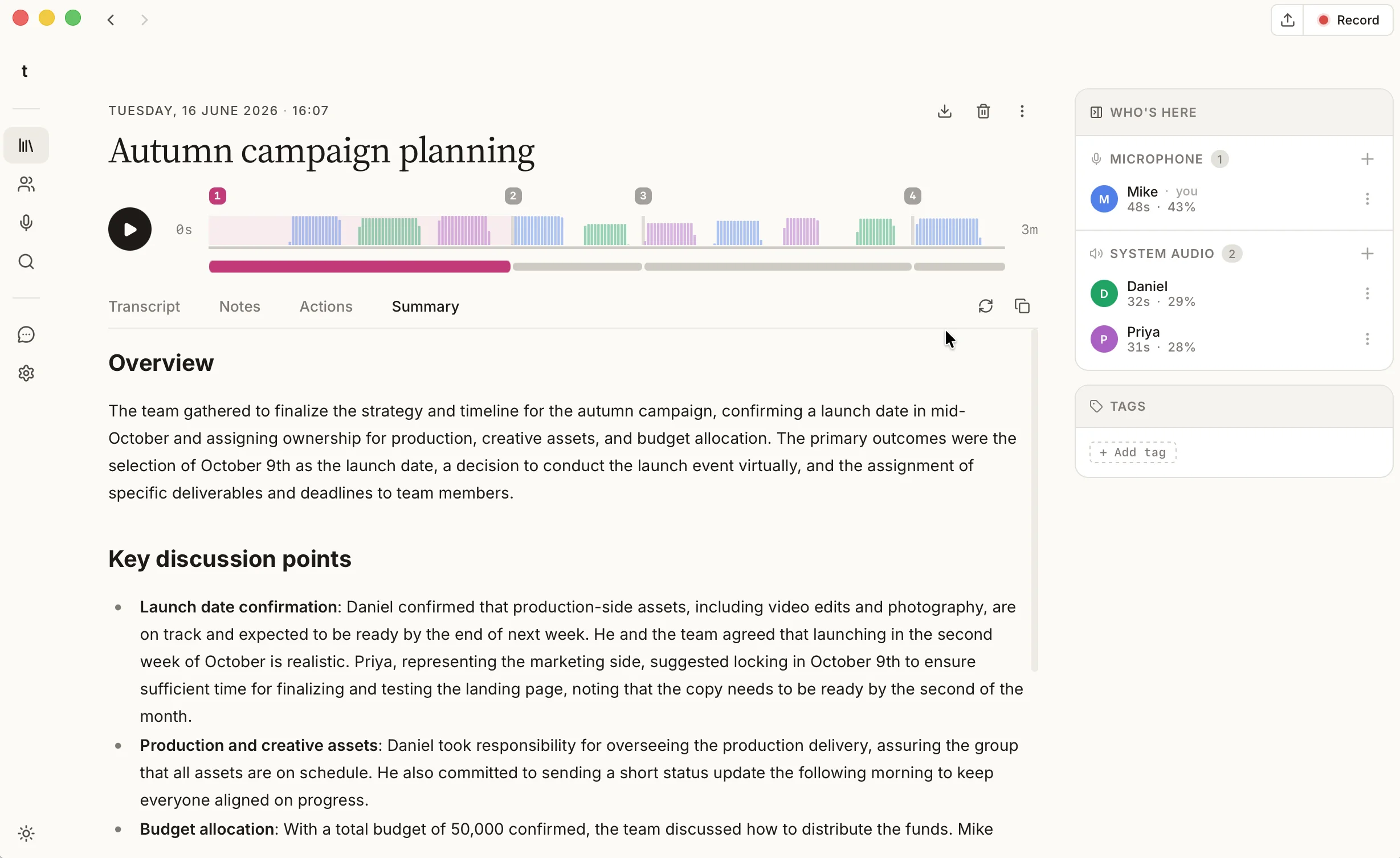
The model that ships with talat is genuinely good, and it's private, but it's small enough to run on an ordinary laptop, and that shows on the hardest jobs. It gets a little conservative on long meetings, much past half an hour, where it can thin out the detail or skip a thread that mattered. A larger cloud model from OpenAI or Anthropic has far more room to work with, so on a long, many-topic call it tends to produce a fuller recap, with cleaner action items and a clearer record of what was decided.
That's the trade in a sentence: the built-in model keeps everything on your machine; a cloud model can write a stronger summary of a difficult meeting, at the cost of sending that one transcript away to do it. Which matters more is a judgement only you can make, and talat is built so you can make it call by call rather than once and forever.
The trade worth understanding first
Connecting a cloud model is the one place in talat where a transcript can leave your computer. Everywhere else, the recording, the transcription, and the speaker names all stay local by design. When you turn on a cloud provider for summaries, the transcript of that meeting is sent to the provider so their model can read it and write the summary. The audio never goes anywhere; the recording stays on your machine. But the words do travel, and it's right that you know exactly when that happens.
So talat keeps this off by default and entirely in your hands. You opt in deliberately, your key is stored in your operating system's own credential store rather than by talat, and the local model is always still there to fall back to. You can run a sensitive one-to-one through the on-device model and a long all-hands through a cloud one, in the same week, without changing anything permanent.
How to get an API key
The two providers most people reach for are OpenAI, the company behind ChatGPT, and Anthropic, the company behind Claude. Both sell access to their models directly, separately from the chat apps you might already pay for, and the steps are much the same for each.
- Go to the provider's developer platform: platform.openai.com for OpenAI, or console.anthropic.com for Anthropic. Sign in, or create an account if you don't have one.
- Add a payment method and a little credit. API access is billed by usage rather than a flat subscription, so you pay only for what the model reads and writes. A meeting summary costs a few cents, so a small top-up lasts a long time.
- Find the section called API keys, and create a new one. You'll usually be asked to give it a name, which is just a label for your own reference, like "talat".
- Copy the key the moment it's shown. For security, providers display the full key exactly once and only store a masked version afterwards, so if you lose it you create a fresh one rather than recovering the old.
A note worth keeping in mind: a paid ChatGPT or Claude subscription is not the same thing as API access, and it doesn't come with a key. They're billed separately. If you have a subscription already, you still create an API key through the developer platform above, and it's charged on its own.
Connecting it in talat
With the key copied, the rest takes a minute. Open talat's settings, go to the summaries section, and choose the provider you signed up with. Paste your key into the field, and talat tucks it straight into the credential store. From then on, the AI meeting summary at the end of each meeting is written by that model instead of the built-in one.
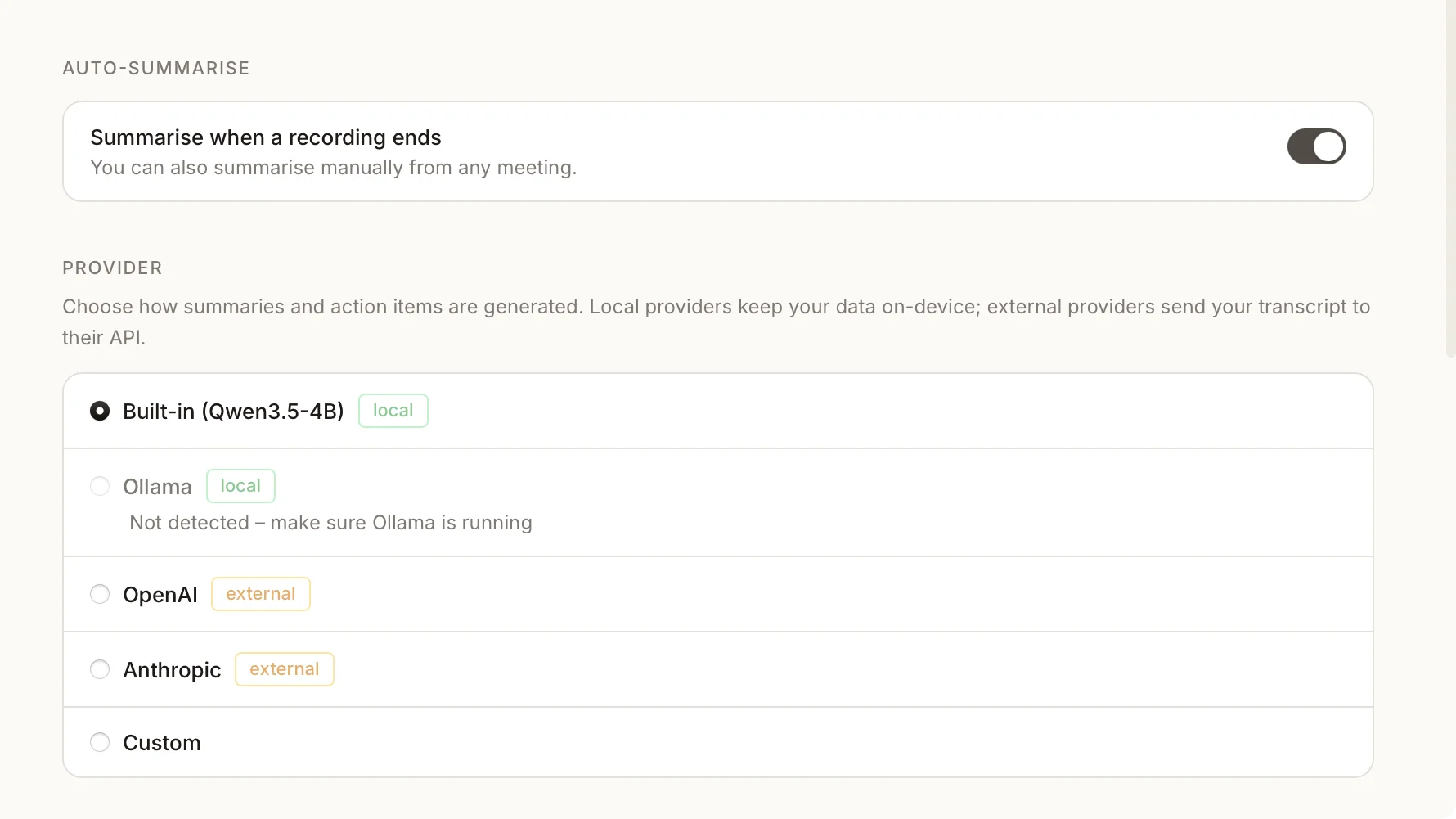
If you already run models locally with Ollama, that's offered here too, and it needs no key because nothing leaves your machine. And if your provider isn't one of the named presets, talat can talk to any OpenAI-compatible endpoint if you give it the address, which covers most of the services that aren't listed by name.
Getting more out of your summaries
A bigger model isn't the only lever, and it isn't always the one that helps most. Two others are worth knowing about, and both work whichever model you've chosen.
The first is naming who said what. A summary is only as good as the transcript under it, and a transcript that knows its speakers lets the summary attribute decisions and hand action items to the right people. talat learns voices as you name them, so this is mostly a one-time effort per group; the guide to taking notes in a meeting covers how.
The second is telling the model what you actually want. talat writes summaries from a sensible default brief, but you can replace it with your own in settings: ask for decisions first, or risks called out, or a particular format your team expects. A short, specific instruction often does more for the usefulness of a summary than a larger model does, and it costs nothing and stays local.
The short version
Better meeting summaries usually come down to three things: a transcript that knows who spoke, a clear brief telling the model what matters to you, and, when a meeting is long or dense enough to warrant it, a more capable cloud model. That last one is where an API key comes in, which is just a password that lets talat use OpenAI's or Anthropic's model on your account. It's a few minutes to set up, off by default, and the one moment a transcript leaves your machine, so you turn it on knowingly and meeting by meeting.
You can try talat free for ten hours, with no account.