The best local model for private meeting summaries
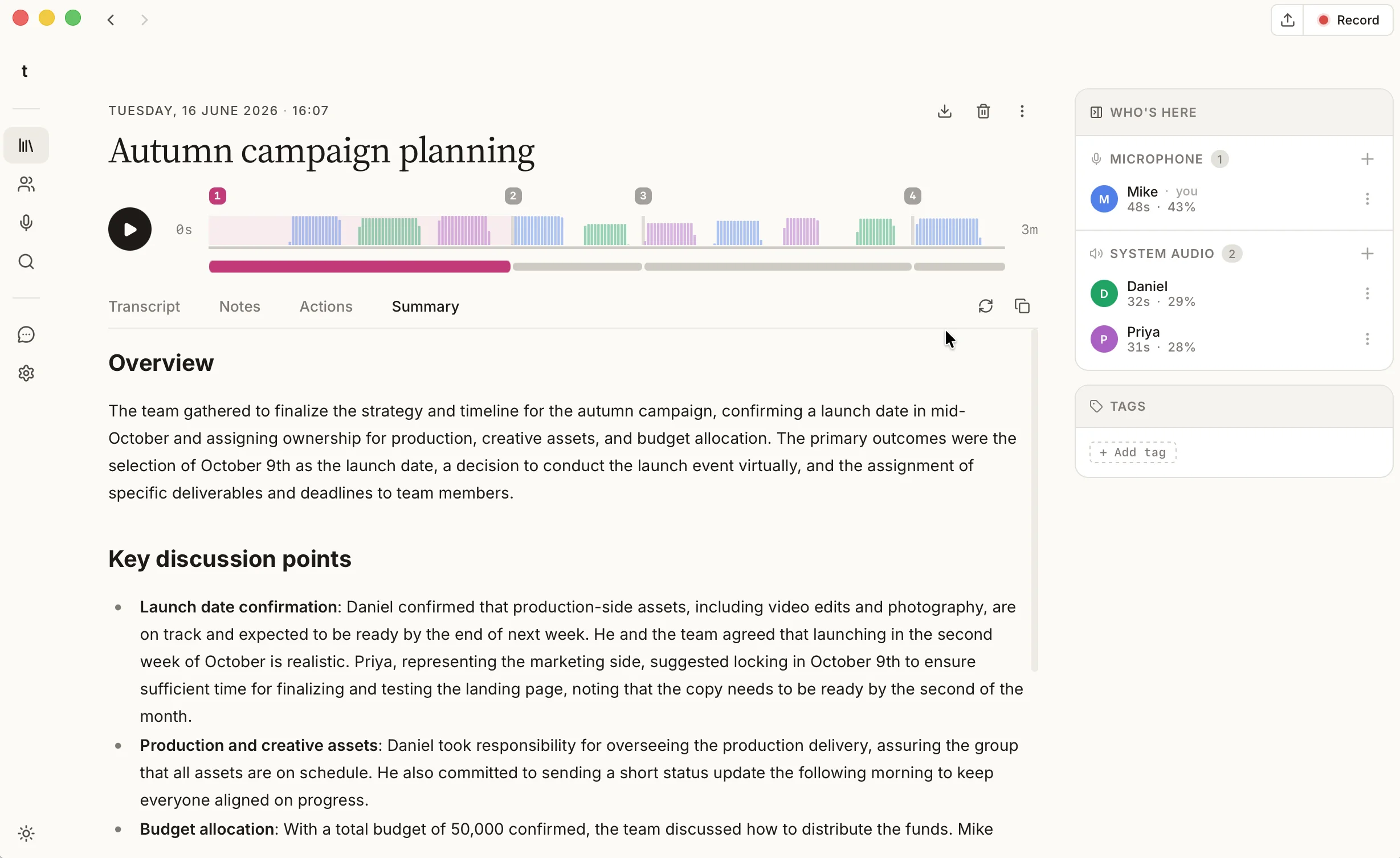
When a meeting ends, talat writes you a summary. It reads the whole transcript, pulls out what was decided and who agreed to do what, and has it ready by the time you've left the call. The detail people tend to miss is where that happens: on your own machine, written by a model that ships inside the app, with nothing uploaded. The meeting summary is produced in the same room the meeting was.
That invites a reasonable doubt. A model small enough to run on a laptop, with no datacentre behind it, writing notes you'll actually act on: is it good enough? We wanted to answer that properly, because the model talat ships is the one that writes everyone's summaries, so we picked it on evidence rather than on a hunch.
Why the summary stays on your device
A meeting summary is one of the most sensitive things software can make about you. It distils an hour of candid conversation down to the few lines that matter, and those few lines are exactly what you'd least like sitting on a stranger's server. Most AI meeting tools send your transcript to their cloud to be summarised; talat does the opposite and runs an automatic meeting summary on your device, so the recording, the transcript, and the notes never leave it.
The cost of that choice is the constraint we set ourselves. A local model has to fit on an ordinary computer rather than a rack of GPUs, which in practice means something small enough to run comfortably on a laptop with around 8GB of memory to spare. So the real question was narrow and practical: which of today's small, local models writes the best meeting summary inside that budget?
What we tested, and the surprising part
We took a real meeting, a public 42-minute GitLab product session with seven people talking over each other the way people actually do, and ran it through eleven local models, all at the same 4-bit quantisation (the setup most people run locally), on a recent Apple laptop. Then we read every summary back against the transcript and scored them on the things that matter for notes: did it get the facts right, did it cover the whole meeting, and did it invent anything that was never said.
The surprising part was that size barely predicted quality. The best summaries came from models in the 3 to 4 billion parameter range, and several larger 7 and 8 billion models landed mid-table or worse. One was so terse it left out half the meeting; another confidently added details no one had mentioned. A bigger model is slower and hungrier for memory, and on this particular job it rarely earned that back.
| Model | Size | Speed | The verdict |
|---|---|---|---|
| Qwen3.5 4B | 4B | Moderate | Best overall: thorough, accurate, unfazed by other languages |
| Granite 4 3B | 3B | Fast | Excellent on English, and noticeably quick |
| Llama 3.2 3B | 3B | Fastest | Fine in a hurry, but skips the detail |
| Qwen3 8B | 8B | Slow | Strong, but you wait for it |
| Phi-4 Mini | 3.8B | Fast | Thin, and prone to making things up |
Why the built-in model is Qwen
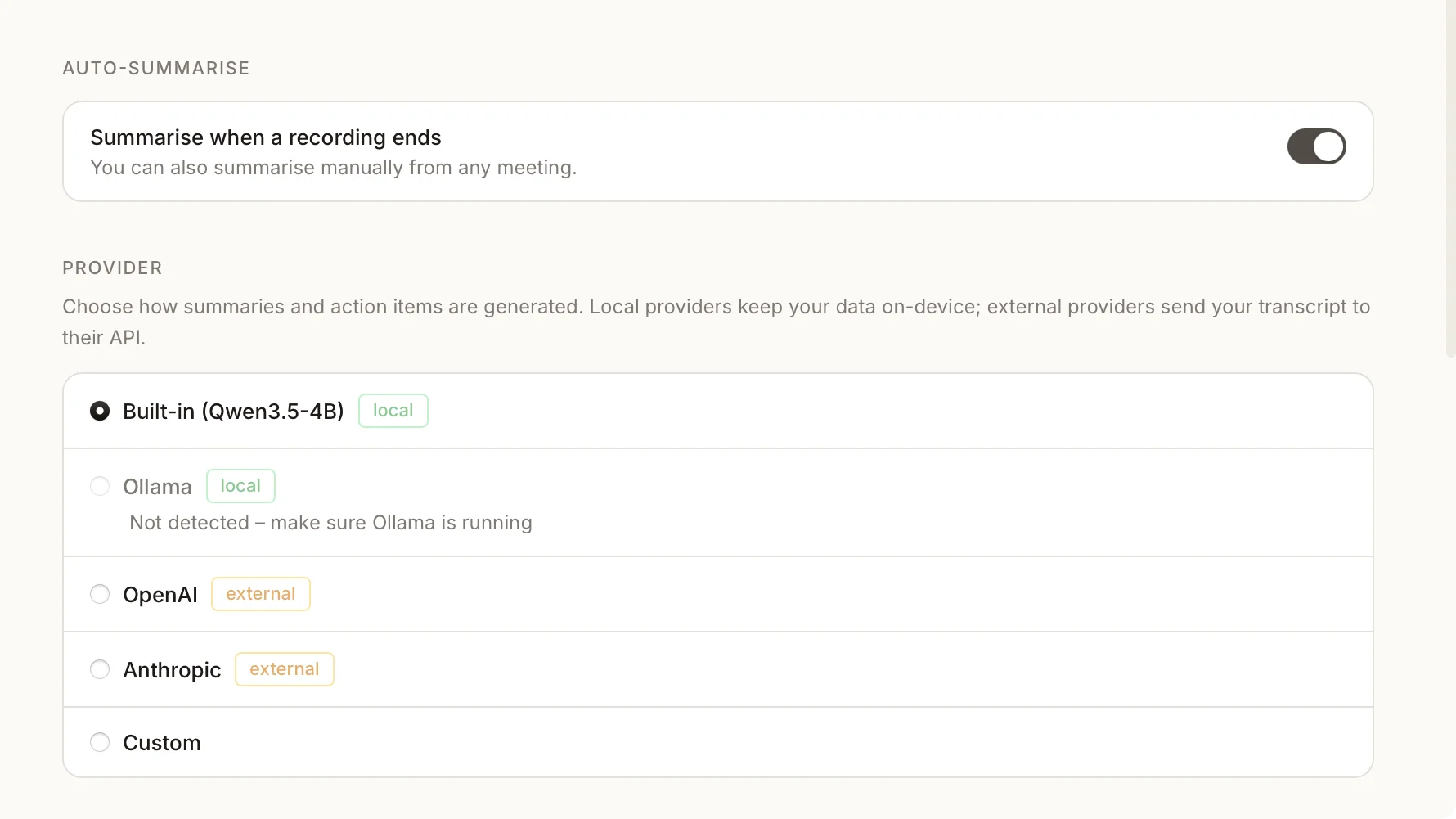
The model talat ships with is Qwen3.5 4B, and the test backed up the choice. It wrote the most complete and faithful summary of the whole field, at a size that still fits the local budget, which is the exact trade a sensible default has to strike.
The deciding factor, though, was language. talat transcribes meetings in more than thirty languages, so the model writing the summary has to be just as comfortable outside English. We checked this directly, running the same meeting through again in German and in Japanese. Qwen read both without a stumble and produced a summary as detailed as its English one. Most of the small models we tried could not say the same; the strongest English performer of the lot returned nothing at all on the Japanese transcript. For one model that has to serve everyone, being reliable across languages counts for more than a point or two of polish on English alone.
Granite 4, if your meetings are in English
The honest runner-up was Granite 4, IBM's newest small model, at 3 billion parameters. On English meetings it was a delight: close to the quality of the built-in model and quicker with it, which makes it a genuinely good local AI note taker when English is all you need. Its weakness was the one above, that it struggled badly the moment a meeting wasn't in English, and that is why it's a recommendation rather than the default.
If your meetings are all in English and you'd like your summaries written faster, Granite 4 is the one to reach for.
Choosing your own model
You're not stuck with the built-in model. talat can point summarisation at any local model you run with Ollama, so swapping in Granite 4, or anything else you prefer, is a moment's work in settings and keeps everything offline. If you'd rather a larger cloud model wrote your notes, you can connect one with your own key instead, though that is the one place a transcript can leave your machine, so it's off by default and entirely your call.
Whichever you pick, the rest of the meeting stays where it was made: the notes you get from naming who said what, the transcript, and the recording itself.
The field keeps moving
New local models land almost monthly, and a default chosen once and left alone would be out of date within a season. Granite 4 had only just appeared the week we ran this, and it earned its place in the comparison the same day. We re-run this test as capable new models show up, so the model talat ships keeps pace with the best of what runs locally, rather than freezing on whatever happened to win on the day we built it.
The short version
A meeting summary good enough to rely on no longer needs a datacentre behind it. We tested a field of local models on a real meeting and shipped the one that wrote the best notes across the most languages, Qwen3.5 4B, as talat's default; Granite 4 is a fast, capable alternative when your meetings are in English. Either way, the summary is written on your own computer, and it stays there.
You can try talat free for ten hours, with no account.