The best meeting recording apps for 2026
Most people who go looking for a meeting recorder do not really want a recording. They want what the recording is for: a transcript they can search, the decisions written down, the action items that would otherwise be forgotten by lunchtime. A raw audio file that you have to sit through again is barely better than the meeting you already sat through once. So the useful question is not "what records a meeting", but "what records a meeting and hands you something worth reading afterwards".
The good news is that plenty of tools do both now. The differences that matter are quieter than the feature lists suggest, and this guide is about those: whether a bot joins your call, where your audio is processed, and whether you get a real set of notes or just a wall of text. We think talat is the one to beat and we will say why, but the others are good at what they do, and the right pick depends on how you work.
What makes a good meeting recorder
Four things separate a recorder you will still be using in a month from one you uninstall.
The first is whether a bot joins the call. Many recorders work by dialling into the meeting as a visible participant. It records reliably, but everyone can see it, and people talk differently when there is a third-party notetaker in the room. On an external call it can force a consent conversation you did not plan for. The alternative is local capture, where the app records the audio your own machine is already playing and hearing, with nothing joining the meeting.
The second, and the one most roundups skip, is where your audio goes. "No bot" is not the same as private: a tool can drop the visible bot and still stream every word to its own servers to be transcribed and stored. If the meetings you record are sensitive, that distinction is the whole game.
The third is whether it actually turns the recording into something. Recording is the easy part. What earns its keep is the transcript that knows who said what, the summary, the chapters, and the action items. A recorder that leaves you with an audio file has done the least valuable half of the job.
The fourth is the ordinary stuff: which platforms it runs on, what it costs, and whether it is pleasant enough to use that you keep it open.
| Tool | Bot in the call? | Transcript and notes | Where audio is processed |
|---|---|---|---|
| talat | No | Yes, on device | On your own machine |
| Zoom / Teams / Meet built-in | No, but everyone is notified | Transcript yes, AI notes on paid tiers | Your organisation's cloud |
| Otter | Yes (OtterPilot) | Yes | Otter's cloud |
| Fireflies | Yes | Yes | Fireflies' cloud |
| Fathom | Yes (bot-free mode in beta) | Yes | Fathom's cloud |
| Granola | No | Yes | Granola's cloud |
| tl;dv | Yes | Yes | tl;dv's cloud |
The apps worth knowing
talat, a recorder that keeps the whole job on your machine
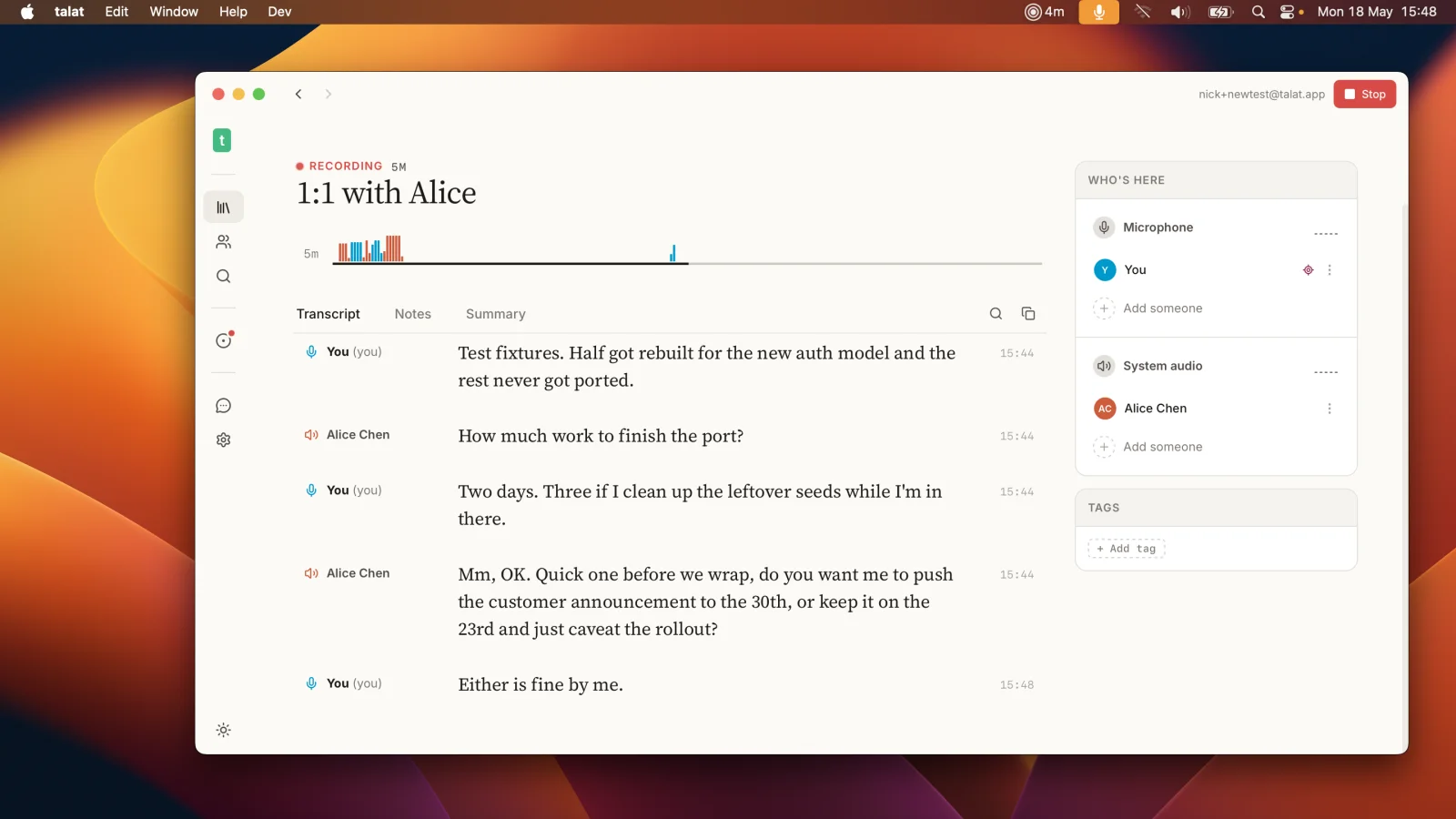
talat records the call from your own microphone and speakers, with no bot joining, and transcribes it on your Mac or PC as it goes. It tells the speakers apart and puts a name to each line, and when the meeting ends it writes a summary with the decisions, the action items, and chapters so you can jump straight to the part you need. There is full-text search across every meeting you have ever recorded, exports into the tools you already use, and it reads your calendar so it knows what is about to start. It runs on macOS and Windows, and it keeps working with the wifi off.
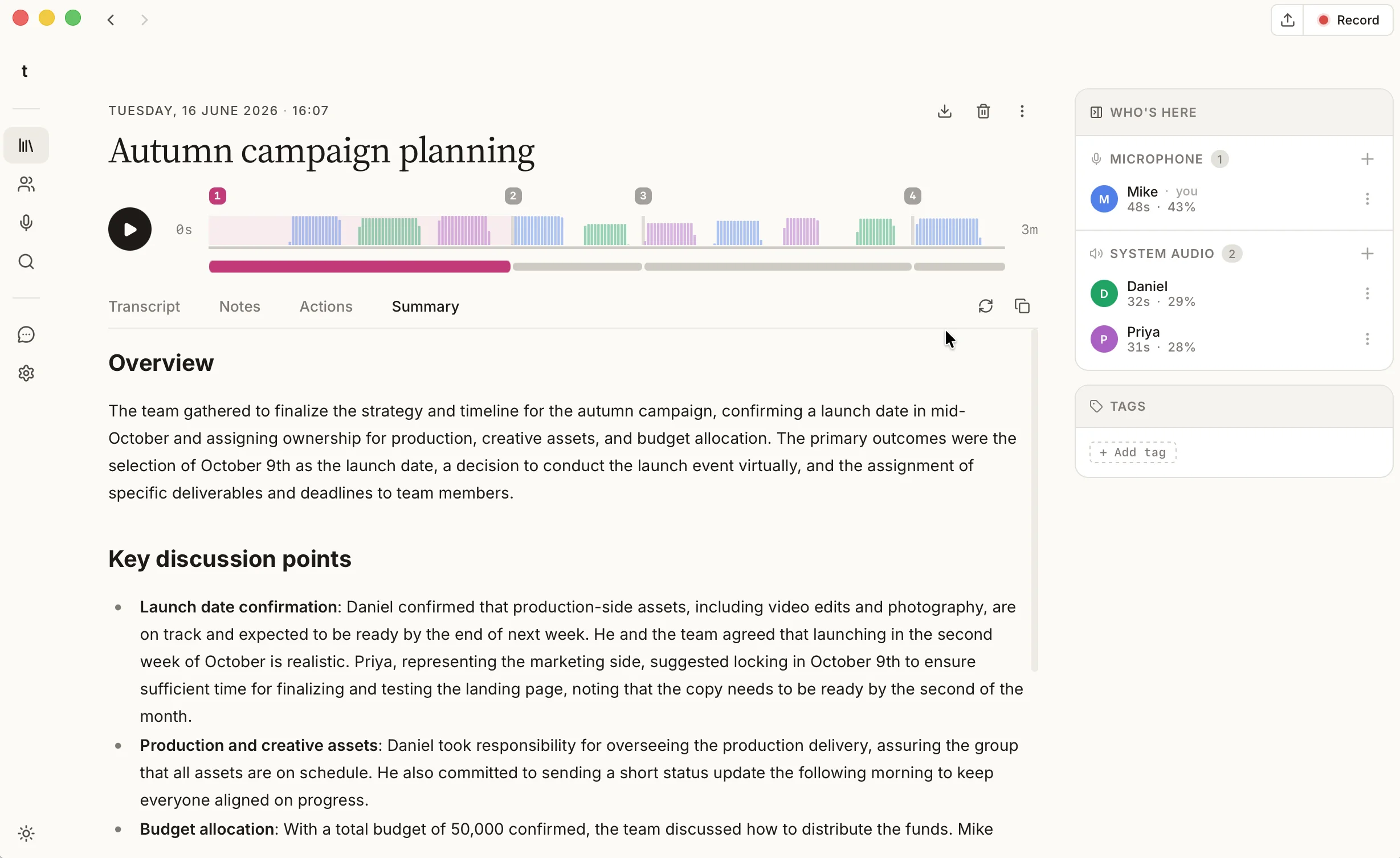
The part that comes for free is where all of this happens, which is on your own machine. The recording, the transcript, and the summary stay in a local database on your computer, written by a model that ships inside the app, so nothing is uploaded unless you choose to connect a cloud model with your own key. It is worth being straight about the gaps: talat is a desktop app, so there is no phone or web version yet, and it is not a shared workspace where a whole company edits transcripts together in a browser. If those are what you need, one of the others below will suit you better.
The recorder already built into your call
Before you install anything, it is worth knowing that Zoom, Microsoft Teams, and Google Meet can all record and transcribe a meeting themselves. When it is available to you it is the right tool for the official record, the copy your colleagues expect to find in the meeting chat afterwards. The catch is that recording is usually gated by admin policy and limited to the organiser, so attendees and guests often find it greyed out, and the file lands in your employer's cloud, which is the wrong place for a job interview, a one-to-one, or a call with an outside client. The built-in AI summaries also tend to sit behind the pricier tiers. We cover the local alternative in detail in the guide to recording a Teams call without a bot, and compare talat directly with each built-in notetaker for Teams, Zoom, and Google Meet.
Otter, if your team lives in a CRM
Otter is one of the biggest names in the category, with a polished web and desktop experience and deep hooks into the tools sales teams use. It records by sending its OtterPilot bot into the call and does everything server-side, which is how you get the cross-device sync and real-time collaboration it is known for. If a visible bot and cloud processing are not concerns for you, it is a capable choice. Our talat vs Otter comparison goes through the trade-offs in full.
Fireflies, for meetings that feed the rest of your stack
Fireflies is the pick if you want meetings wired into your pipeline. Its strength is everything after the transcript: searchable archives, speaker and topic analytics, and automatic push into Salesforce, HubSpot, and the rest. It joins the call as a bot and runs in the cloud, the cost of all that connectedness, but for a revenue team that wants the data flowing on its own it is a strong option. See the talat vs Fireflies comparison for the detail.
Fathom, if cost is the deciding factor
Fathom has long had the most generous free tier in the category, with recording and transcription that many people never outgrow. It has recently added a bot-free capture mode, in beta on Mac, though the default is still a visible bot joining the call. The catch is the familiar one: free or not, and bot or no bot, your audio is still processed in Fathom's cloud, so it settles the price question rather than the where-does-it-go one. If spending nothing today is what is driving your search, it is the obvious place to start. We put the two side by side in the talat vs Fathom comparison.
Granola, if you like a notepad that listens
Granola is a genuinely lovely product. It skips the bot and captures your Mac's audio directly, then blends what it hears with the notes you type, so it feels less like a recorder and more like a notepad that was paying attention. The honest caveat is the one this whole guide keeps returning to: dropping the bot is not the same as staying local, and Granola still sends your audio to its cloud for the AI to work on. If you love that flow and the cloud does not bother you, it is excellent. The talat vs Granola comparison has more.
tl;dv, for recorded calls you want to clip and share
tl;dv leans into the video side of things: it records the call, timestamps the transcript, and makes it easy to cut and share highlight clips, which is handy for product and research teams passing moments around. It records with a bot and processes in the cloud like most of this list. The talat vs tl;dv comparison covers where each one fits.
Recording and transcribing a meeting for free
If free is the whole point of your search, there are two honest routes. The built-in recorder in Zoom, Teams, or Meet costs nothing extra when your admin allows it, though the AI summary usually does not. Among the dedicated apps, Fathom's free tier is the most generous, and talat gives you every feature for your first ten hours of recording with no account, after which it is a subscription or a one-time licence you own outright. What none of the free cloud tiers change is where your audio goes: free still means it leaves your machine. talat is the one where free and local are the same thing, because the recording and the transcript never go anywhere to begin with.
How to choose
Pick by what matters most to you. If you want a recorder that captures the call, writes the notes, and keeps all of it on your own machine, that is talat. If you need the official organisation record, your call's built-in recording is made for it. If cost decides everything, start with Fathom. If meetings need to flow into a CRM, Fireflies. If you loved the idea of a quiet notepad-style capture and are happy in the cloud, Granola. And if you are specifically shopping for an Otter replacement rather than a recorder in general, our roundup of the best Otter.ai alternatives is the better read.
The short version
A good meeting recorder does more than record: it hands you a transcript that knows who spoke, a summary, and the action items, without much fuss. The best one depends on what you are after. Use your call's built-in recording for the official record; Fathom if cost decides it; Fireflies for a CRM-heavy team; Granola for a polished no-bot notepad in the cloud; and talat if you want a capable all-rounder that records, transcribes, and summarises entirely on your own machine.
You can try talat free for ten hours, with no account.